
Features

Everything You Need to Stay One Step Ahead of Scams

Ultra Scam Shield brings scam-risk detection, remote-access protection, suspicious content checking, trusted family alerts, private verification, and smart device cleanup together in one easy-to-understand protection experience.

Designed for everyday users, seniors, families, and caregivers, it adds an extra layer of protection during the moments when a scammer may be trying to create pressure, confusion, or urgency.

Windows protection dashboard
PC Dashboard
Family alert on phone
Family Alert
Core Features

Protection Designed Around Real Scam Situations

Scams can begin with a call, an email, a suspicious website, or someone asking to control your computer. Ultra Scam Shield is designed to help users recognize these situations, pause before continuing, and involve someone they trust when additional help is needed.

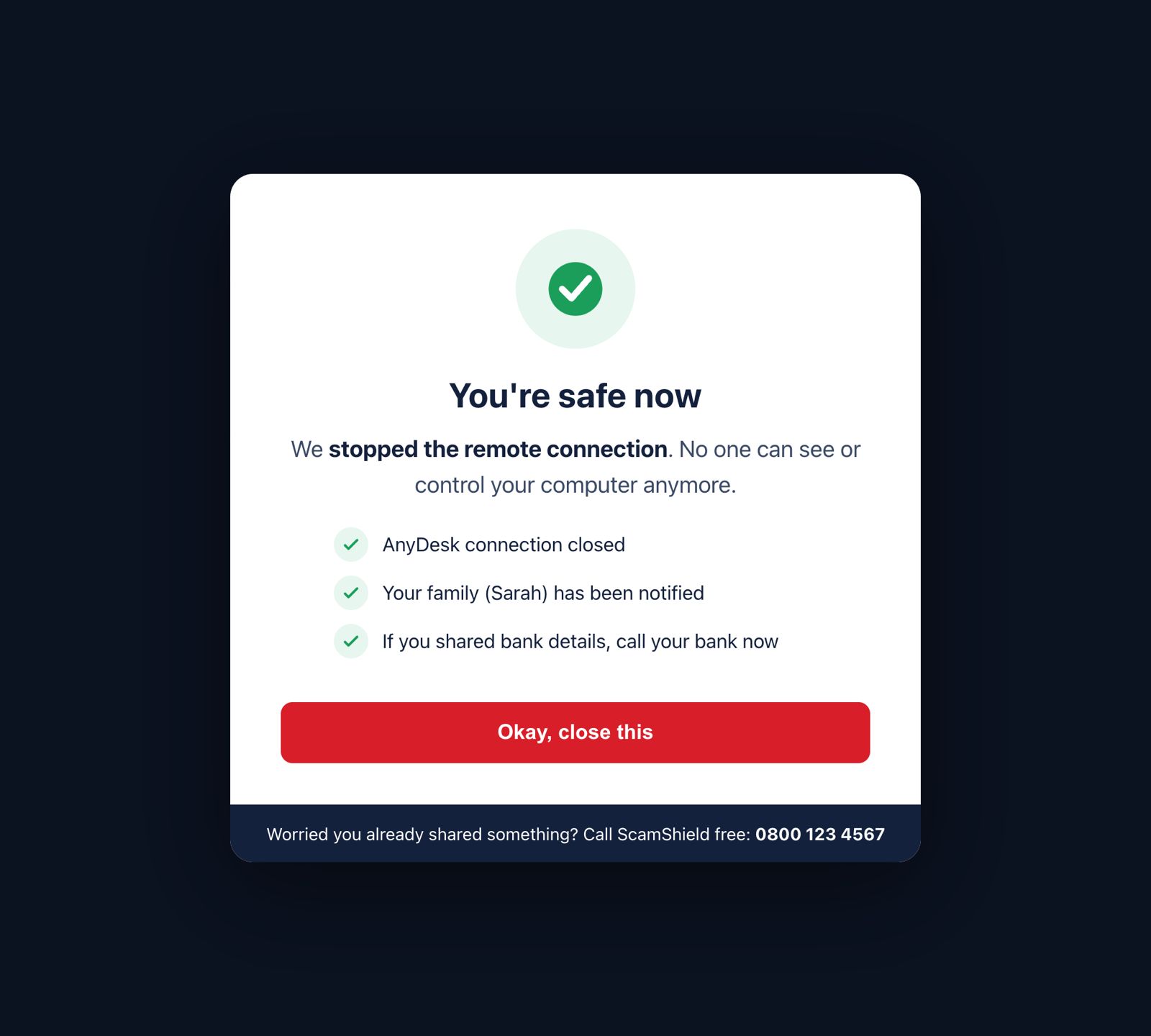
Remote Access Warning Remote Access Warning

Remote Access Protection

Stop Before You Hand Over Control

When supported remote-access activity is detected, Ultra Scam Shield can ask whether you know and trust the person requesting access. If you do not recognize them and choose not to continue, the supported remote-access attempt can be stopped.
Content Checker Content Checker

Suspicious Content Checker

Check It Before You Trust It

Received an unexpected email, message, or link claiming to be from Microsoft, your bank, or another familiar organization? Use Ultra Scam Shield to check suspicious content for supported scam-risk signs before you click, reply, or follow instructions.

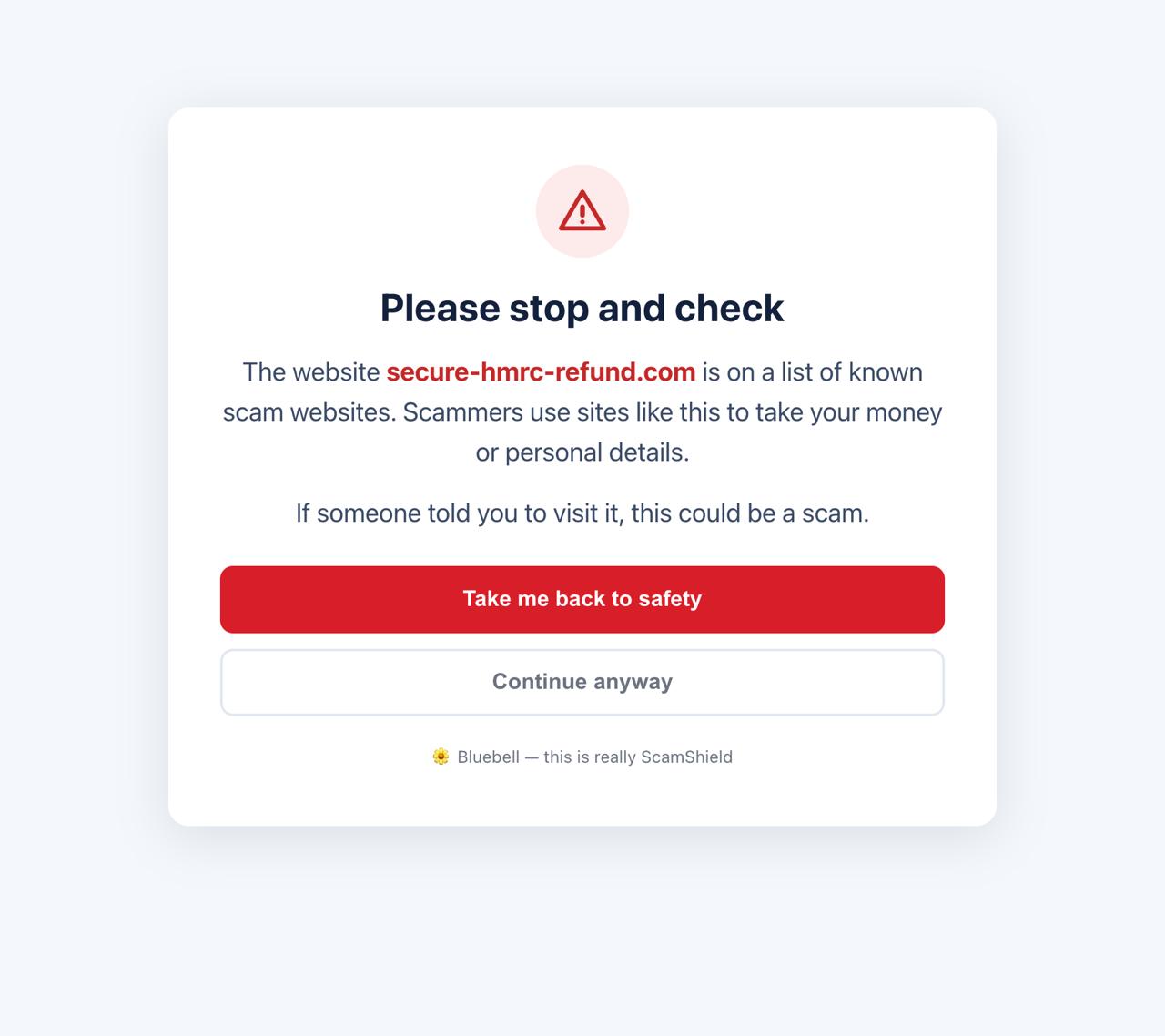
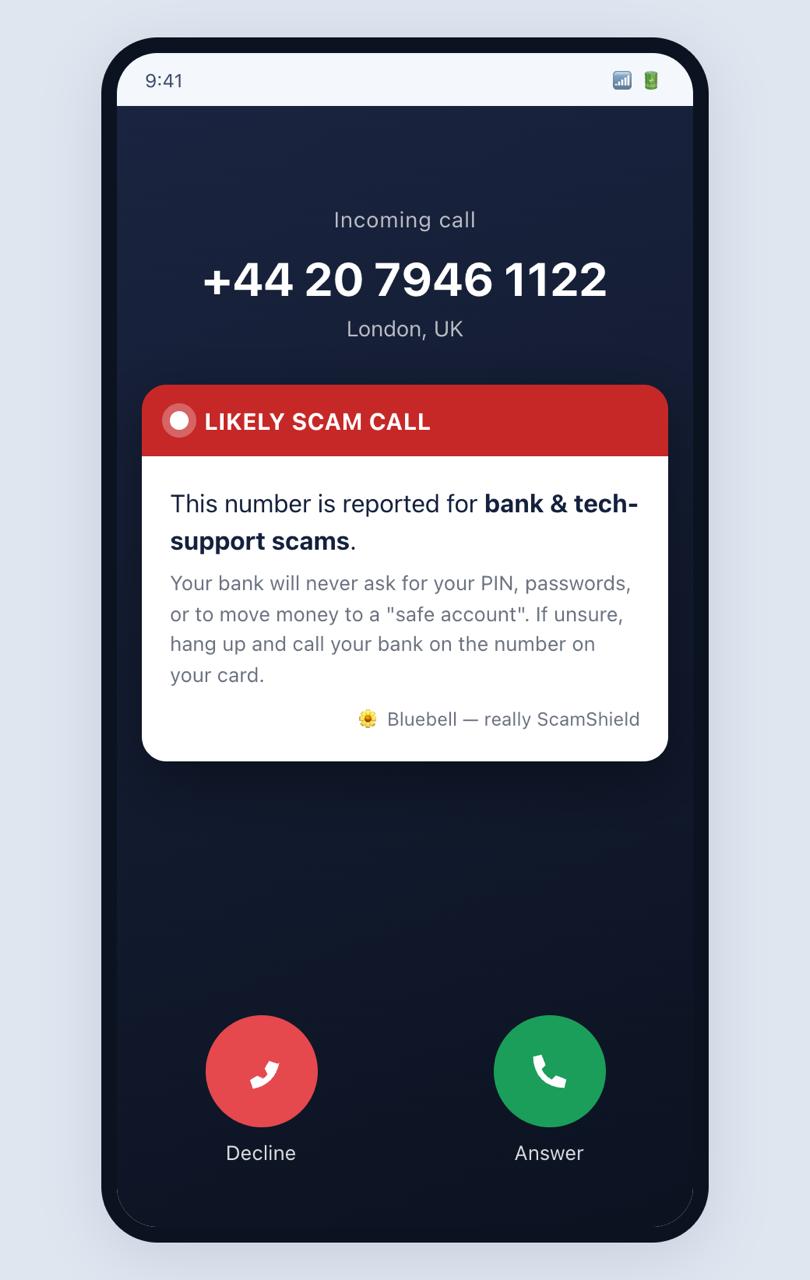
Scam Call Warning Scam Call Warning

Suspicious Call Warnings

A Warning Before You Trust the Caller

When supported call-risk information indicates that an incoming call may be suspicious, Ultra Scam Shield can warn you before you share sensitive information or follow the caller's instructions.

Family Alert Family Alert

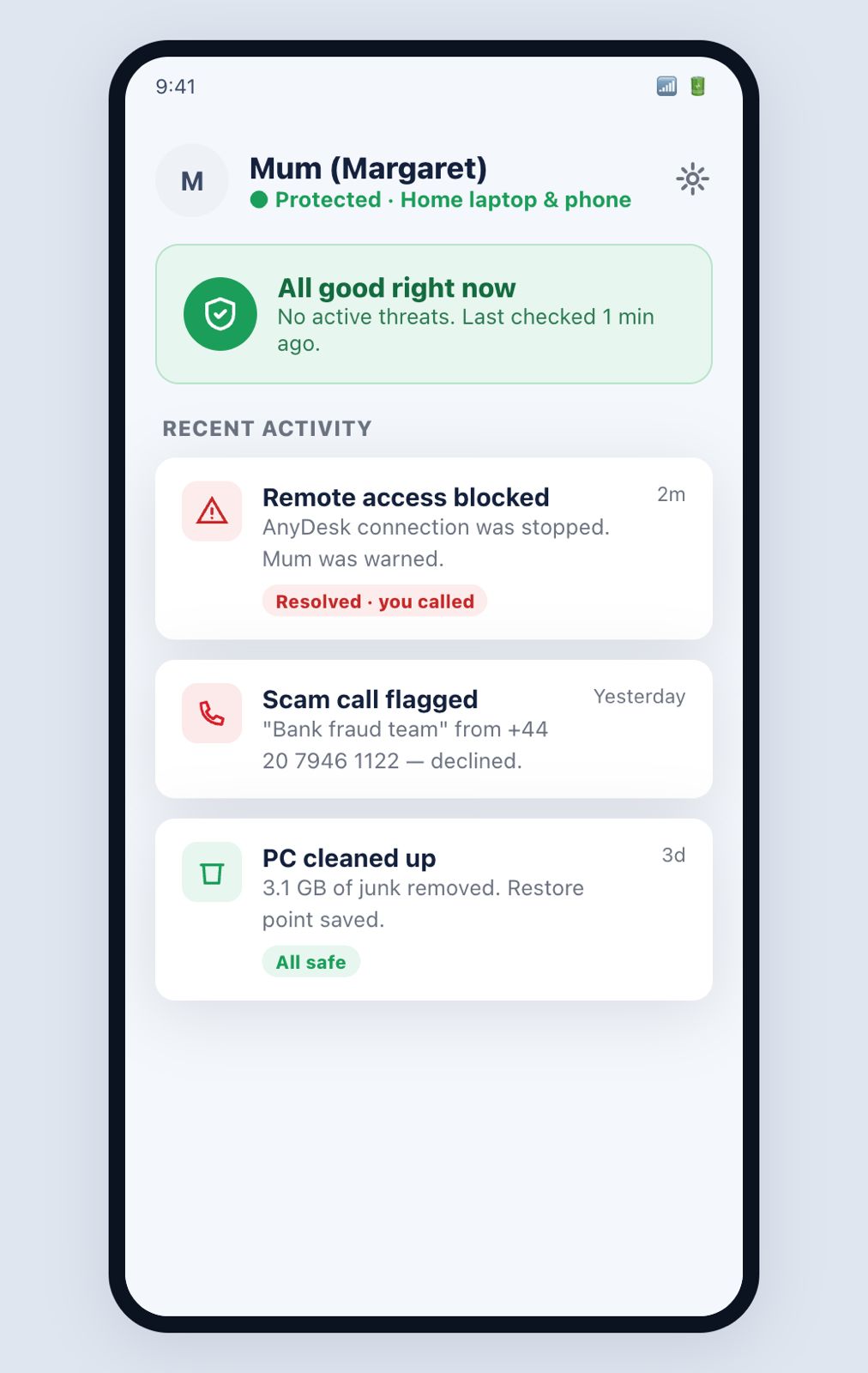
Family & Caregiver Alerts

Bring Someone You Trust Into the Moment

When a higher-risk situation continues, connected family members or caregivers can receive an alert so they have an opportunity to contact the protected user and help verify what is happening.

Private Verification Setup Private Verification Setup

Private Verification Text

A Private Sign That Helps You Know It's Really Us

Choose a private name, word, or short phrase during setup. Supported genuine Ultra Scam Shield alerts, emails, notifications, or important communications can include your private verification text as an additional authenticity signal.

Scan and Clean Scan & Clean

Smart Scan & Clean

Clean What You Don't Need. Review What You Might.

Ultra Scam Shield can identify cache files, temporary data, and other unnecessary items taking up space on your device. If something may still be useful or important, it can be shown to you before deletion so you can decide whether to Keep or Delete it.

When you set up Ultra Scam Shield, you can choose a Secret Name that is known only to you and Ultra Scam Shield. Whenever we send you an official Ultra Scam Shield email or notification, your Secret Name will appear in that communication. Because this name is known only to you and us, it gives you a personal way to recognize communications sent by Ultra Scam Shield.
Scammers can copy a company name, logo, or email design. Your Secret Name adds a personal detail that only you should recognize when receiving communications from Ultra Scam Shield.
Feature Comparison

See What Ultra Scam Shield Can Do

Explore the key protection and device-care features designed to help you make safer decisions.

Feature What It Does Why It Helps
Remote Access Protection
Checks supported remote-access situations and asks whether you know and trust the person requesting access. Creates an important pause before someone gains control of your computer.
Remote Access Stop
Can stop a supported remote-access attempt when you choose not to continue. Helps prevent unwanted access from going further.
Suspicious Content Checker
Checks suspicious emails, messages, links, or other content for supported scam-risk signs. Helps you verify suspicious requests before trusting them.
Suspicious Call Warning
Warns when supported call-risk information indicates that a call may be suspicious. Gives you time to stop before sharing sensitive information.
Family & Caregiver Alerts
Alerts connected trusted people during supported higher-risk situations. Gives you access to human help when you may need it most.
Multiple Trusted Users
Allows family members or caregivers to be connected to the protection experience. More than one trusted person can be available to help.
Private Verification Text
Displays your private verification text in supported genuine Ultra Scam Shield communications. Adds a personal verification signal that an impersonator should not know.
Clear Scam Warnings
Explains suspicious situations using straightforward language. Makes important warnings easier to understand.
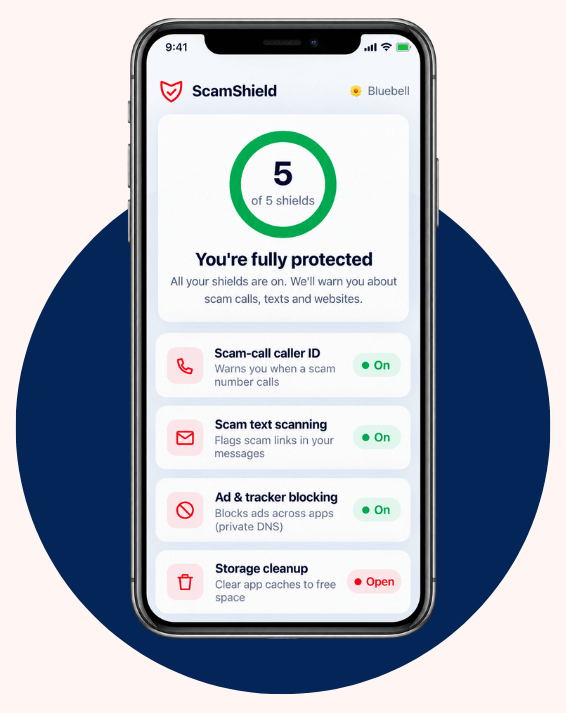
Protection Dashboard
Provides an overview of important protection features and status. Makes it easier to understand whether protection is active.
Smart Scan & Clean
Identifies cache, temporary files, and unnecessary data. Helps keep the device cleaner and easier to manage.
Review Before Delete
Shows potentially important items before they are removed. Reduces the chance of accidentally deleting something useful.
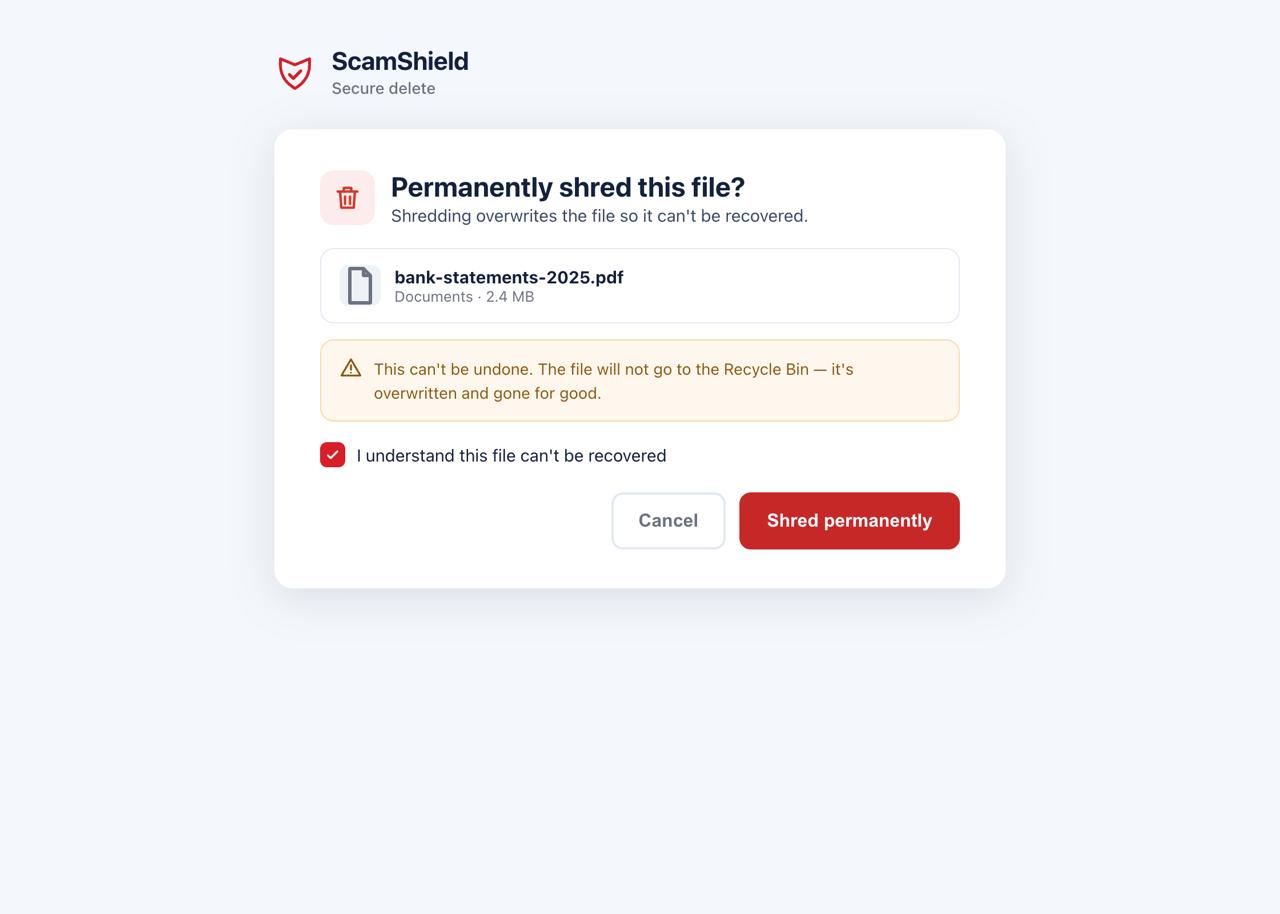
File Shredder
Provides an additional secure-removal option for files that should no longer remain on the device. Helps manage sensitive files more securely.

Feature availability and exact behavior may vary by device, operating system, product version, and supported protection capability.

Feature Deep Dive

A Private Sign Only You Should Know

During setup, you can choose a private name, word, or short phrase known only to you and Ultra Scam Shield. When supported genuine Ultra Scam Shield notifications, alerts, emails, or important communications are sent to you, your private verification text can appear as an additional sign that the communication is really from us.

Keep It Private

Never share your private verification text with a caller, remote-support agent, family member, caregiver, or anyone asking you to confirm it. If someone asks you to reveal your private verification text, stop and treat the request as suspicious.

Private verification text setup Private Verification Setup
Family Protection

Protection Gets Stronger When Someone You Trust Can Help

Scammers often try to isolate the person they are targeting. Ultra Scam Shield is designed to do the opposite. When supported higher-risk activity occurs, connected family members or caregivers can receive an alert and have an opportunity to contact their loved one.

PC warning PC Warning
Trusted Alert
Family alert phone Family Alert

For Seniors

Clear warnings and an easier way to get help when something feels wrong.

For Families

Greater awareness when a loved one may be facing a suspicious situation.

For Caregivers

A faster way to check in and help verify what is happening.

Device Support

Protection Across the Devices You Use

Platform Protection Experience Download Now
Windows
Desktop protection, remote-access intervention, scam-risk warnings, checking tools, family alerts, and smart cleanup. Explore Windows
Android
Mobile scam-risk warnings, suspicious-interaction guidance, and trusted family/caregiver support. Explore Android
Browser Protection
An additional checkpoint for suspicious websites, links, messages, and online content. Explore Browser Protection
Family Alerts
Connected family/caregiver notifications during supported higher-risk situations. Explore Family Alerts
macOS
Ultra Scam Shield protection experience adapted to supported Mac capabilities. Explore macOS
iOS
Scam-risk guidance and trusted support adapted to supported iPhone and iPad capabilities. Explore iOS
Get Started

Scam Protection Shouldn’t Depend on Spotting Every Trick Yourself.

Ultra Scam Shield adds another layer between a suspicious situation and your decision — helping you pause, check, protect yourself, and reach someone you trust when additional help is needed.